1 Month
£20
The shortest listed UK IPTV subscription. At £20 total, it limits the length of your initial commitment while you check whether the service details and setup suit you.
£20 total · 1 month
Order via WhatsAppThis UK IPTV subscription page compares five plan terms for viewers across the UK. If you are comparing IPTV UK options or looking for a UK IPTV provider, check current service details and device support before choosing.
For UK viewers · Five subscription periods · Check device support before purchase
Compare IPTV subscription UK options in pounds sterling, with the total price and term shown for each plan. If you are ready to buy IPTV UK, first confirm the current service details, support for your device and app, setup, expiry and refund terms.
£20
The shortest listed UK IPTV subscription. At £20 total, it limits the length of your initial commitment while you check whether the service details and setup suit you.
£20 total · 1 month
Order via WhatsApp£30
A three-month IPTV UK option if you want a longer period than one month. The listed total is £30, equal to £10 per month across the term.
£30 total · £10 per month equivalent
Order via WhatsApp£40
A six-month UK IPTV subscription at £40 total, or about £6.67 per month. Check the content description, device setup and terms before choosing the longer period.
£40 total · £6.67 per month equivalent
Order via WhatsApp£55
A full-year UK IPTV plan at £55 total, or about £4.58 per month. Consider it once you have confirmed the service and device details and are comfortable with a year-long term.
£55 total · £4.58 per month equivalent
Order via WhatsApp£150
The lowest listed monthly equivalent at about £4.17, but the highest total price (£150) and longest commitment. Choose three years only after you have checked the service details and are comfortable with the full term.
£150 total · £4.17 per month equivalent
Order via WhatsAppThese are the features stated for the service. Stream quality, app support and network behaviour depend on the exact content source, device and connection. Ask for the current written terms before ordering.
These service details are not specified by the plan length or price shown here. Ask before paying.
These plans compare listed price and subscription length only. Confirm whether the channels, programmes or on-demand content you want are included and authorised for your location. Also check your exact device/app, connection requirements, setup, support, expiry or renewal, payment schedule and refund terms. The three-year plan has the highest total price and longest commitment.
Checking WhatsApp availability…IPTV delivers television content over an internet connection to a compatible app or device. The exact setup depends on the service details provided when you enquire.
Use WhatsApp to confirm what is included, how access is supplied, supported devices and any requirements for your connection.
Compare the five options and total prices above. Ask about the renewal and expiry process before paying.
Use the instructions supplied for your service and device. App availability and setup steps can vary between manufacturers.
IPTV is television or video delivered using internet protocol over a network connection. When comparing an IPTV UK service, separate the internet connection, the app used to watch, and the subscription that provides access. They are related, but they are not the same thing.
The stream travels over your home internet connection. Wi-Fi coverage, other household use, router placement and device capability can affect playback. A provider should explain any connection requirements it expects you to meet.
An IPTV player is software that can display a stream or playlist; installing a player alone does not identify what content a separate service supplies or whether that access is authorised. Confirm the app name, device support and any separate app charge with the provider.
The provider should tell you what the subscription includes, where it can be used, how access is issued, and what the term costs. Availability depends on the actual service and applicable content rights; the phrase “UK IPTV” alone does not guarantee a particular channel or programme.
In short: check the service catalogue, your device and app, the terms and the provider’s authority to supply content where you live. Do this before comparing long-term plan prices.
Price matters, but a UK IPTV subscription also needs to fit what you want to watch and the equipment you own. Compare providers using the same questions, and get the answers before you pay.
Ask for the current channel and on-demand catalogue. Check the exact programmes you care about and whether they are available and authorised in your location. A large headline number does not tell you whether a particular channel is included.
Share the make, model and operating system of your Smart TV, Fire TV, Android TV box, phone or other device. Confirm the required app, any app cost, and whether your model is supported. “Works on all devices” is not a useful answer without checking your setup.
Ask what internet connection the provider recommends, how picture quality is described, and what troubleshooting support is available. Your broadband, Wi-Fi, device and the service all affect playback; no provider can infer your home setup from the plan price.
Compare the full price, subscription length, payment schedule and expiry or renewal process. Our listed UK IPTV plans run from one month to three years; a lower monthly equivalent comes with a longer commitment.
Confirm how to get help, expected response arrangements, whether a trial is currently available, and how refund or cancellation requests are handled. These terms are not established by a price card, so read the policy and ask before ordering.
What this site confirms: the five subscription periods and their listed prices. It does not publish a channel list, title count, supported-device guarantee, picture-quality promise, trial offer or response-time guarantee. Ask for current service details before deciding, and check that any content is authorised for your location.
IPTV commonly uses an internet-connected television, streaming device, Android TV device, tablet or computer with a compatible application. Compatibility depends on the particular app and subscription setup, so ask us to confirm your device before ordering.
Use a stable broadband connection and follow the device maker’s guidance. We do not promise playback on every device or network, or a particular picture quality or uninterrupted service.
When a stream or app does not behave as expected, a few details can help identify whether the issue is with the home connection, device, player app or service. These checks do not guarantee playback, but they make a support request clearer.
Confirm that the device is online and that other internet services work. If you use Wi-Fi, check signal strength near the television and note whether other devices are using the connection heavily.
Note the device model, operating system, app name and any error text. If the problem affects one channel or programme, include that detail without sharing login credentials.
Use the agreed support contact and include your subscription term or order reference. Do not reset account details or install an unverified app unless the provider gives you instructions you trust.
Support hours and response times for this service have not been specified. Confirm them before ordering. See Contact Us for the available contact route.
An IPTV app is a player interface. It does not automatically include channels, films, a playlist or permission to view content. You need a compatible app, a supported device and a legitimate source of content. Check the app publisher, device store, format and any separate activation charge before installing or paying.
A general-purpose player name used for playlist or provider-login setups. Editions and availability can differ across devices and publishers. Check the developer and exact app listing before entering account details.
A television-oriented playlist player intended for Android TV devices. Its publisher describes it as a player that supplies no content. Check your TV or box’s app store and the current requirements.
A playlist player that may require a separate app activation or licence, depending on the edition. Confirm the exact publisher, device support, activation cost and accepted playlist/login format first.
A media player for compatible television and streaming-device versions. Its publisher says the app includes no channels. App availability and setup differ by device generation, so check the official instructions for your model.
A player for user-supplied playlists or media; it does not provide a channel catalogue. Review the current activation and payment terms on the app publisher’s site before purchasing the player.
A playlist-based media player with versions for Apple platforms and other supported devices. The feature set and account requirements can vary by version. Confirm that the specific edition supports your device and playlist format.
An Android-focused video player for streamed and on-demand sources supplied separately. Check the app listing for device eligibility and confirm that your service provides a format the player accepts.
An Android player whose listing describes playlist and electronic programme guide support. Features such as catch-up or casting depend on the app version and the source data or service.
This name appears on different app listings. Verify the publisher and source before installing, then check which login method and device version your provider supports. The player name alone does not establish compatibility.
A live-TV/PVR player for compatible TV platforms and sources. Its app listing and features can change; confirm current device availability and whether your source type is supported.
Before you choose an app: ask which exact app and publisher to use, whether it is free or requires a separate licence, which login or playlist format is needed, and whether your device version is supported. Do not share credentials with an unverified app or installer.
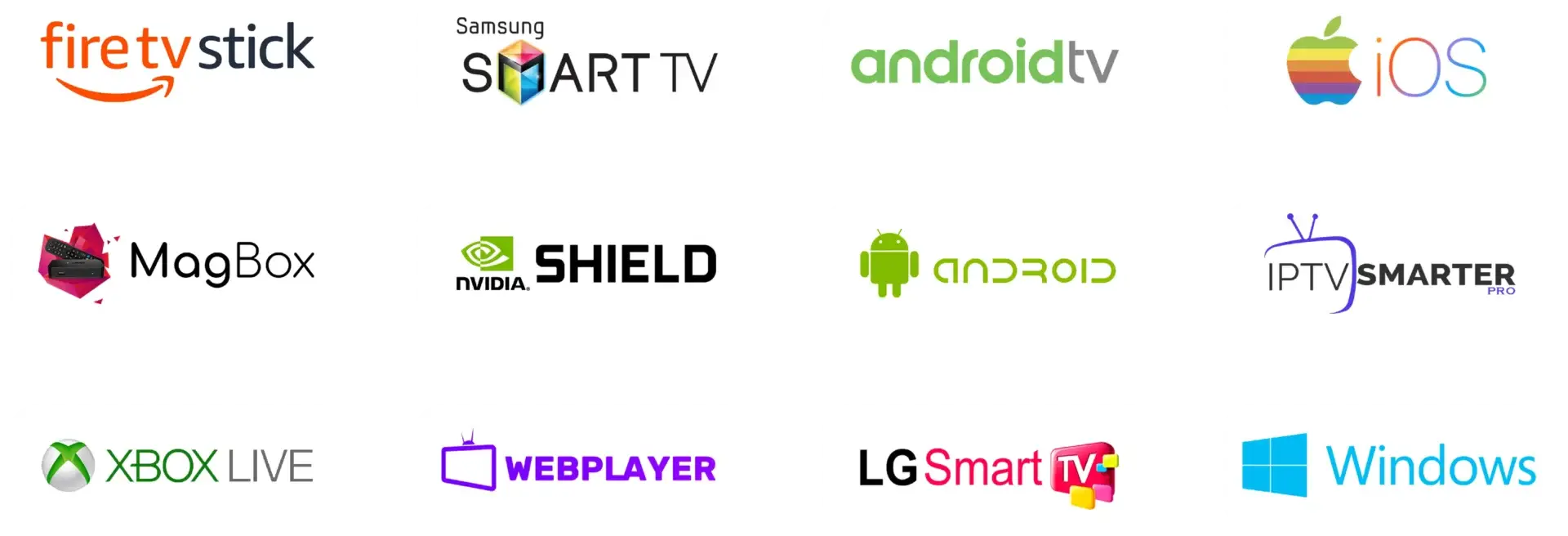
IPTV playback depends on the player app, its content source, your device software and your internet connection. The labels below describe common device searches; they are not a guarantee that this website’s service or any one app supports every model. Send us the model name and year to check before you order.
Fire TV devices use Amazon’s app environment. Search the Amazon Appstore for a player or check the app publisher’s official installation instructions. Do not install an unknown APK or assume a guide for one Fire TV model applies to another.
For IPTV on Samsung TV or IPTV on LG TV, check the television’s own app store, model year and operating-system version. Samsung Tizen and LG webOS apps are not interchangeable with Android TV apps. Confirm the exact player listing before entering playlist details.
Android TV and Google TV devices can offer TV-specific player apps through their supported store, but the catalogue is filtered by device and region. A mobile Android app may not be designed for a television remote. Check the listing on the TV itself.
TV brands use different software across model lines and years. Some models use Google TV or Android TV; others use a manufacturer platform. Identify your exact model and operating system rather than choosing an app based only on the brand name.
“Android box” covers devices with different operating systems, certification and app stores. Check whether the box runs Android TV or Google TV, whether it has the official store, and whether the player is made for a TV interface.
Use an app listed for your Apple TV and tvOS version. An iPhone or iPad app is not automatically available for Apple TV. Check playlist-format support and any separate app purchase in the Apple App Store.
Roku has its own app channel ecosystem. Check the official Roku Channel Store for a player that supports your source; do not assume Android, Fire TV or Smart TV installation steps work on Roku.
MAG devices use a different setup approach from app-based Android televisions. Ask the service provider whether it supports your exact MAG model and portal or playlist method before ordering. Do not enter portal details from an unverified source.
Chromecast with Google TV runs a different app setup from older Chromecast devices that receive a cast from another screen. Confirm whether the player can install directly or must cast, and whether both the app and source support that method.

Answers about plans, devices, apps and what to confirm before ordering.
IPTV means television or video delivered over an internet protocol connection. “IPTV UK” on this page refers to UK-focused subscription information; the term alone does not identify a channel list, app, provider licence or included programme.
There is no single provider that is best for every viewer. Compare the exact content and rights information, compatible devices, support process, full price, subscription term and written refund or cancellation terms. This site does not claim a ranking or independent award.
The plans listed here are £20 for 1 month, £30 for 3 months, £40 for 6 months, £55 for 12 months and £150 for 3 years. These are the displayed plan totals. Confirm payment timing, renewal and any separate app charges before ordering.
Choose a term and contact us through WhatsApp. The service states instant delivery after order confirmation and offers a free 24-hour trial; confirm the process, eligibility, device setup, payment and terms before paying.
A compatible player receives video over an internet connection from a content source. The player, source subscription, device and home network are separate parts of the setup. Only access content that the provider is authorised to supply for your location.
IPTV players are available for some Fire TV, Smart TV, Android TV, Apple TV, streaming-box and mobile platforms. Availability varies by app, device model, operating system and region. Use the device guide above and confirm your exact model before purchase.
Some player apps have Fire TV versions, but store availability and installation methods change. Check the Amazon Appstore or the app publisher’s current official instructions, and confirm that your content source supports the app and device.
Some IPTV players are published for selected Samsung TV models. Check your model year, Tizen version and Samsung app store listing. A listing for Android TV or LG webOS does not guarantee Samsung compatibility.
Some players have LG webOS versions, but availability can depend on model year and region. Check the LG Content Store on your TV and verify that the exact player accepts the source format you will use.
Some players are designed for Android TV. Search the Play Store on the television or box and check the app listing for remote-control and TV support. Not every mobile Android app is available or suitable for Android TV.
Google TV devices may offer TV-compatible players through their app store, but availability depends on the device, region and app. Check the listing on your Google TV and confirm playlist support with the content provider.
The number of permitted devices and simultaneous streams for this service has not been specified on this page. Ask the provider to confirm device registration limits and concurrent playback rules before selecting a plan.
The plan prices shown do not state a device or simultaneous-stream allowance. Confirm whether a plan allows one or more registered devices, whether streams can run at the same time, and whether an app licence is charged per device.
A free VPN feature is stated as included. Ask which app/device traffic it covers and how to enable it. A VPN can encrypt traffic to its endpoint, but an internet provider may still observe VPN use and traffic metadata; it does not grant content rights or guarantee anonymity.
IPTV uses an internet connection, but this site cannot guarantee performance or access through every UK broadband provider, router or network setting. Check the provider’s requirements and contact your internet provider about connection faults or restrictions.
There is no verified minimum speed for this service published here. Requirements depend on the stream, device, Wi-Fi quality and other network use. Ask the provider for its current guidance and test your connection at the viewing device.
The service describes an Anti-Freeze system intended to reduce interruptions, not eliminate them. Buffering can still come from Wi-Fi, network congestion, device limits, app errors or the content source. Check your connection and ask support with the device and error details.
First identify your TV model and operating system. Confirm a compatible player in the television’s official app store, obtain setup steps and authorised access details from the provider, then follow the app instructions. Do not install unknown files or share credentials with unverified parties.
Use the app recommended for your exact device and the source format supplied by your provider. Compare publisher, supported login method, app cost and privacy terms. The app guide above covers the ten player names you asked about; none should be assumed to include content.
Review the plans, contact us through the WhatsApp button or Contact Us page, and ask the provider to confirm content, authorisation, device/app compatibility, payment and refund terms. Proceed only when those details are clear.
Ask about the current service, device setup or subscription terms.
Learn about UKProviderNow, our UK IPTV partner provider.
Looking for British IPTV information? Visit our British IPTV UK 2026 guide.
Please read our Terms and Conditions and Refund Policy. Service availability, content access and device compatibility can vary. Content access should be authorised for your location.